

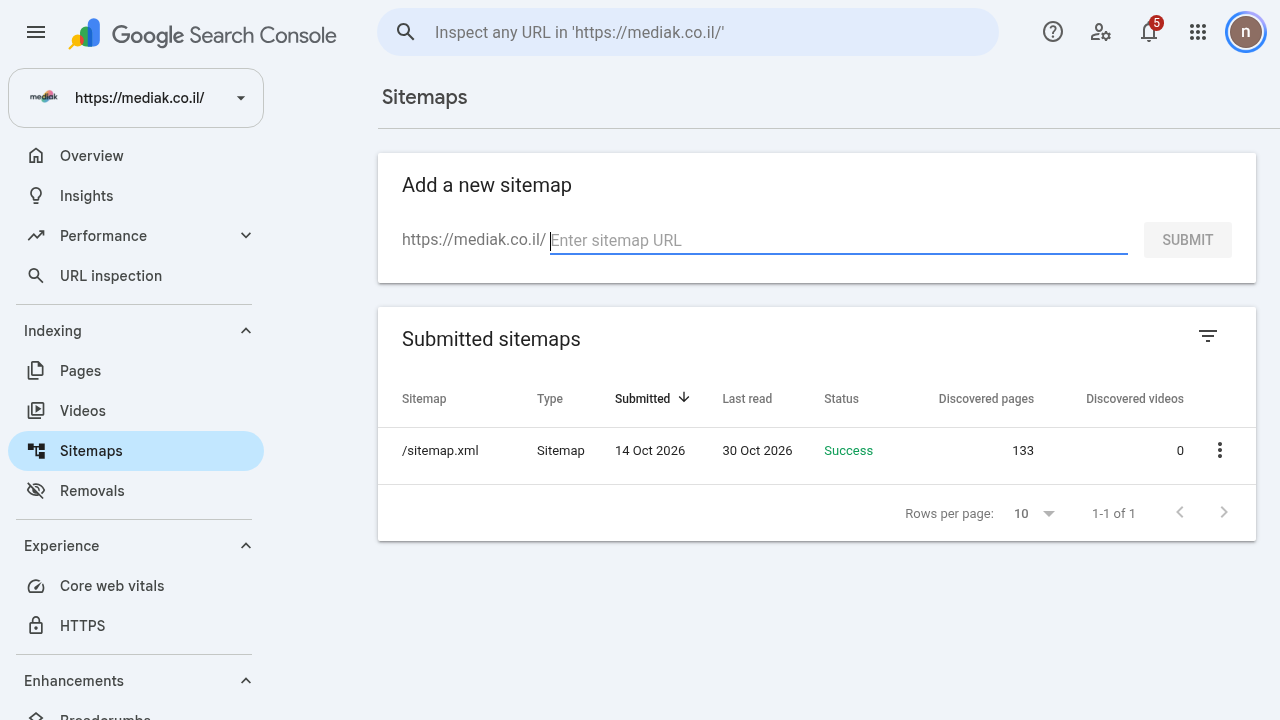
Two tools that work well together: the Sitemaps report tells Google which pages exist on the site, and URL Inspection shows whether a specific page is in the index and why.
Step 1: What Is a Sitemap Anyway?
A Sitemap file (usually sitemap.xml) lists the page URLs on the site. "Uploading" to Search Console is actually just telling Google where the file is located - you cannot upload the file itself to Google. Most platforms (WordPress, Wix, Shopify) create a Sitemap automatically; check your platform's documentation to see where it is located.
Step 2: Submitting a Sitemap
Make sure the file is live and accessible without a login - open the URL in a browser and verify that you see XML.
Open the Sitemaps report in the side menu (under Indexing).
Paste the Sitemap URL in the Add a new sitemap field and click Submit. Owner permissions are required; without them, you can list the Sitemap in the robots.txt file.
The initial fetch happens immediately, but crawling the pages themselves takes time - and it is not guaranteed that every URL will be crawled.
In the table, for each Sitemap you will see when it was submitted, when it was last fetched, its status, and how many pages were discovered in it. If the status is not Success, click the row for error details. After a successful fetch, Google returns to crawl on its own - there is no need to resubmit unless you have made a major change.
Step 3: Checking a Specific Page with URL Inspection
Paste a full page URL into the inspection bar at the top of the screen (or open URL Inspection in the side menu) and press Enter.
You will receive the page's status in Google's index:
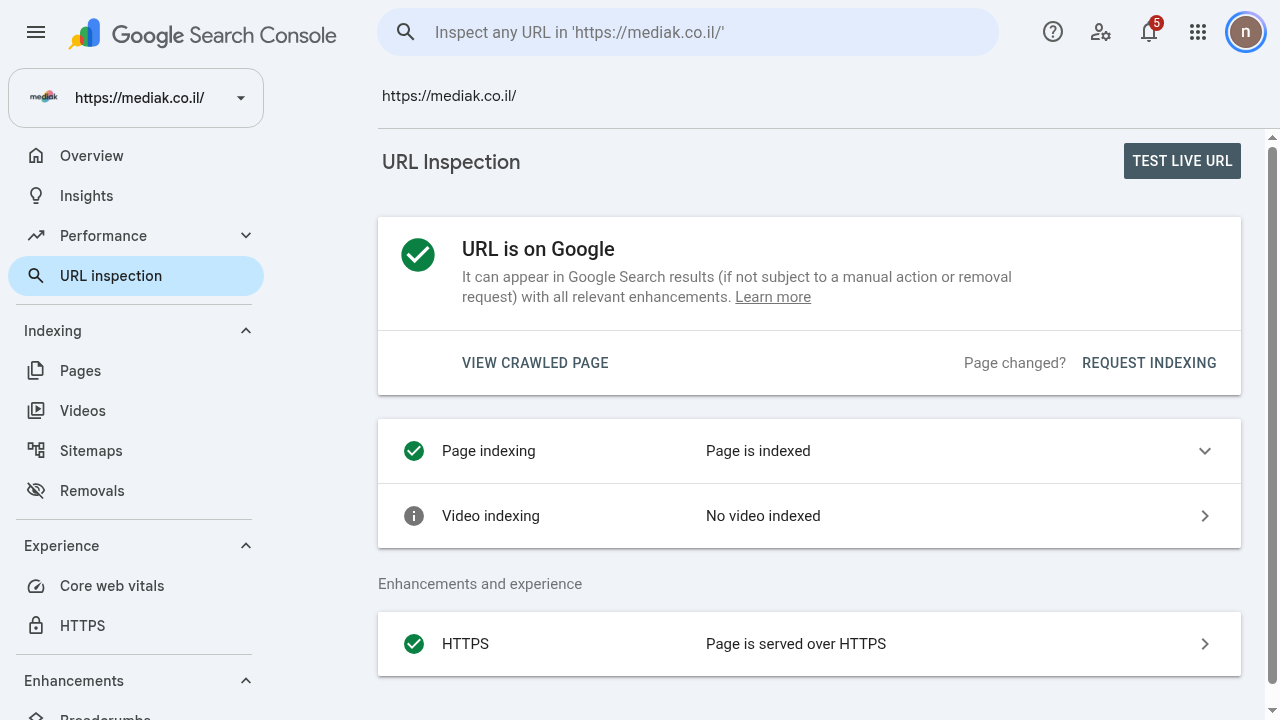
URL is on Google - The page is in the index and can appear in Search.
If the page is not in the index, the reason will be displayed (for example, blocked by robots.txt, noindex, page not found) - this is the starting point for fixing it.
VIEW CRAWLED PAGE shows how Google saw the page during the last crawl.
TEST LIVE URL tests the page as it is right now, against the index.
REQUEST INDEXING requests a recrawl - useful after a significant change to the page.
Step 4: When to Use Each Tool
Sitemap - General overview of all pages; suitable for website setup, structural changes, and routine monitoring.
URL Inspection - Deep dive into a single page; suitable when a page does not appear in search or after an important content update.