
 עברית
עברית
Keyword research is a starting point for Google Ads campaigns and organic search content. One tool for this is Google's Keyword Planner .
Here is a step-by-step guide to using the tool:
Step 1: Open Keyword Planner
- Sign in to your Google Ads account.
- In the top toolbar, go to "Tools and settings" > "Keyword Planner".
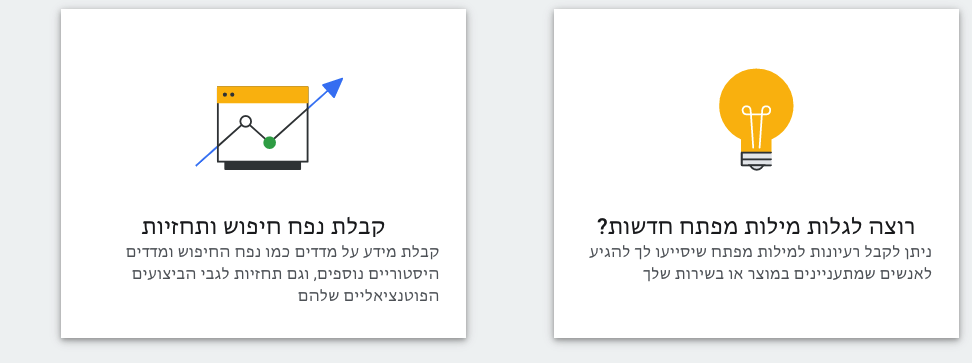
- Select "Discover new keywords" (the right-hand section with the yellow light bulb).
Step 2: Choose a research method
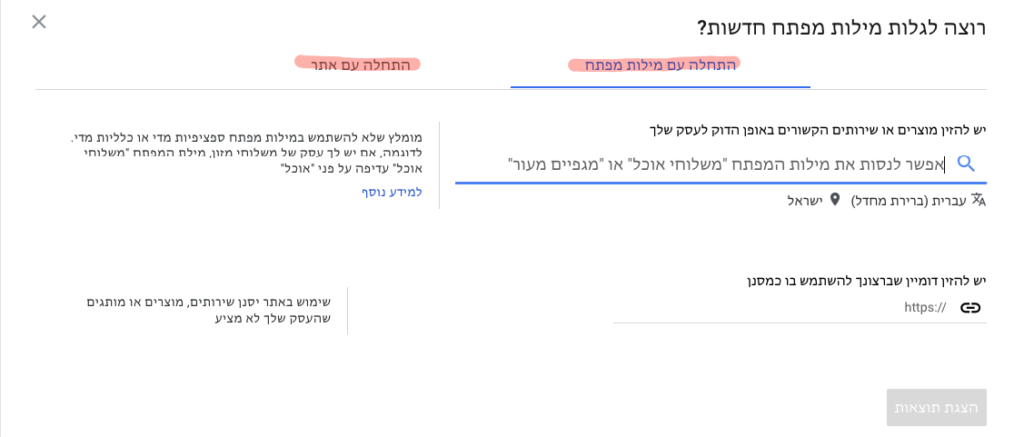
Keyword Planner offers two main research methods:
- Enter keywords manually Enter words and phrases relevant to your topic.
- Use a website Use your website or a competitor's website to find relevant keyword ideas.
Combining the two methods can broaden the research. Competitor websites may reveal keywords you had not considered, particularly in unfamiliar sectors.
Step 3: Adjust settings before viewing results
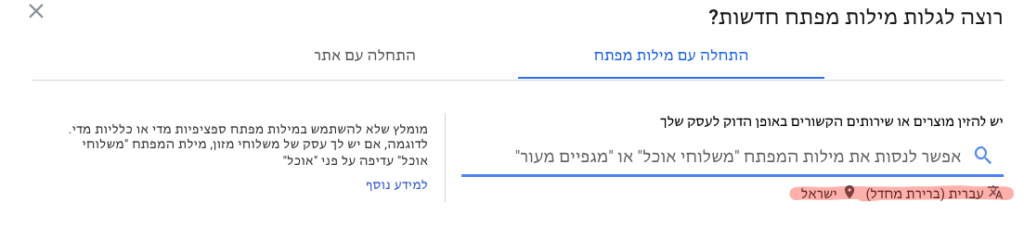
Before retrieving results, check that the settings match your marketing goals:
- Language Choose the language for the research.
- Country or region Choose the country you want to target.
For example, for sports footwear, you could enter:
"sports shoes", "running shoes", "walking shoes", then click "Get results".
Step 4: Analyse and filter the data
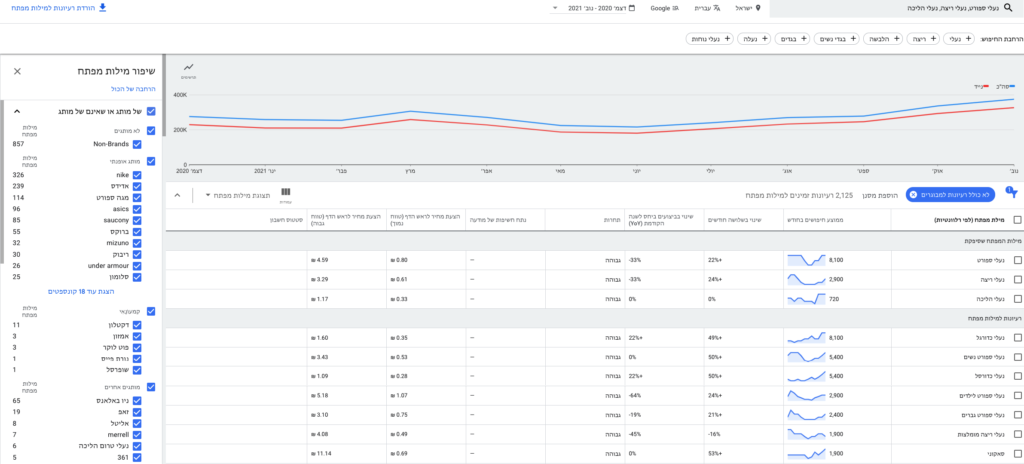
Keyword Planner shows data including:
- Average monthly searches for each keyword.
- Top-of-page bid range (high range).
- Relevance of additional suggested keywords.
On the left side of the screen, find the keyword filter panel, where you can exclude irrelevant terms, such as particular brands or phrases that do not fit your campaign goals.
Step 5: Export and organise the data
- Download the keyword list by clicking "Download keyword ideas" (above the left-hand filter panel).
- Open the downloaded Excel file and organise the data to suit your workflow.
- Organise keywords into ad groups in line with your campaign plan.
Useful columns to keep include:
- Keyword The keyword.
- Avg. Monthly Searches Average monthly search volume.
- Top of Page Bid (High Range) The high-range top-of-page bid.
Summary
Keyword Planner can inform both paid campaigns and SEO. Thorough research, analysis and well-organised data help guide targeting and campaign improvements.
Practical tip: review keywords regularly, as trends and search behaviour change.