
Hebrew source: https://mediak.co.il/guide-553
Opening a TikTok Ads Manager account involves more than a short registration form. Advertisers describe several connected account types, business verification requirements and reviews that can delay a first campaign. This guide separates the account structure from practitioners' reports about setup problems.
The account structure
The account structure has four connected parts:
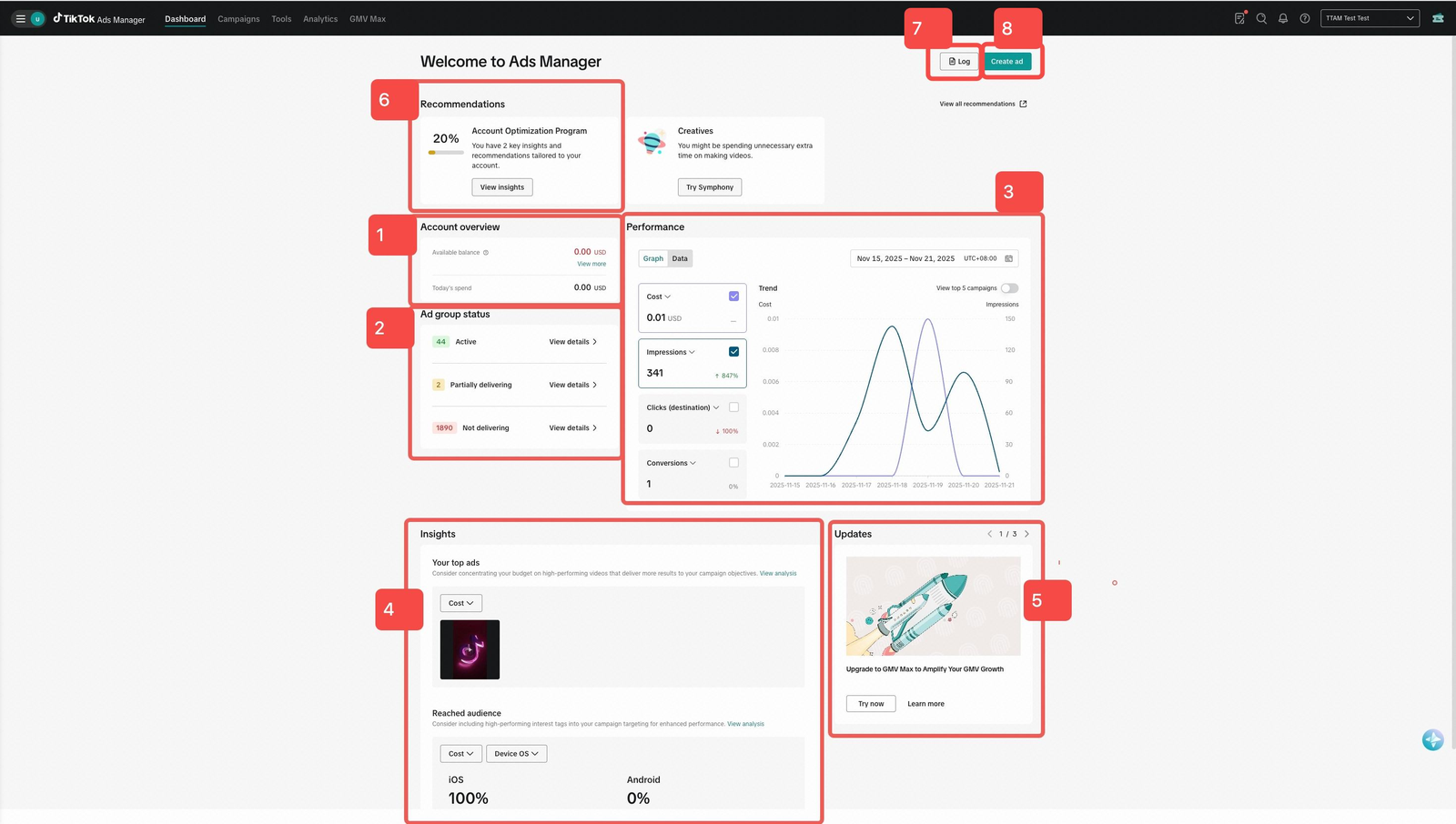
Example Ads Manager dashboard from a test account. The visible reporting dates are in November 2025; this is not the new-account registration screen.
- TikTok for Business: The commercial umbrella and a general entry point for business products.
- Business Center: The management layer for assets, permissions, ad accounts, pixels, catalogs and agency access.
- TikTok Ads Manager: The campaign workspace for objectives, budgets, audiences, creative and reporting. Its advertising hierarchy is Campaign > Ad Group > Ad.
- TikTok account: The profile used to publish organic content and, when linked with the necessary permissions, provide an identity for advertising.
Account identity and Custom Identity
In January 2026, TikTok announced that it would phase out Custom Identity in early 2026. The feature had allowed ads to run without a linked account, and TikTok said all new campaigns would run from a verified TikTok profile. The connection between the TikTok account and the ad account is authorized in Business Center.
For new setup, plan to link the appropriate official TikTok account and complete the ad-delivery permissions shown in Business Center. The official help also distinguishes ads from an account owned by the advertiser from ads using an authorized account or creator post.
Organic followers
A large organic following is not a substitute for account review, permissions or format eligibility. Check the requirements of the campaign you intend to run.
A practical setup sequence
The source recommends this order as a working checklist, rather than a single mandatory sequence for every account:
1. Set up Business Center. Use the intended business identity and retain access under the business owner's control.
2. Complete the verification requested for the account. Prepare accurate legal details and the documents the current flow requests. Requirements and review times depend on the particular product, country and account.
3. Create or connect the ad account using the options offered in Business Center. Check who owns the account and which business has access.
4. Set up measurement. Install and test the required pixel or events before relying on conversion reporting or committing campaign spend.
5. Link the official TikTok account. Complete the appropriate account and ad-delivery authorization rather than assuming that an organic profile is automatically connected.
6. Check billing, review status and eligibility. Confirm that the account can run the intended campaign before scheduling a launch.
Business verification and timing
Use the actual verification notice in the relevant account to determine its deadline and consequences. TikTok One's separate official verification page says its review can take up to three business days. That statement is scoped to TikTok One and should not be presented as a guaranteed turnaround for every Ads Manager or Business Center review.
Working with an agency
Keep the business owner in control of Business Center and its advertising assets.
Where the platform supports it, grant an agency the required partner or account permissions rather than handing over ownership or sharing a personal login. Check the exact assets and access level requested before approving. Ownership and access are different: permission to manage an ad account does not have to mean transferring it.
Setup and review mistakes
Creating accounts to evade a restriction
Use the review and appeal process shown for the restriction. Do not create replacement accounts or change identity to evade enforcement.
Domain setup
Check the domain, landing page and measurement configuration relevant to the chosen campaign. Do not assume every domain-related requirement is an account suspension rule.
Payment methods
Check the payment methods supported for the account, country and billing setup. A failure with one card does not prove that all cards of that type are prohibited.
Commercial music rights
A trending song is not automatically licensed for paid advertising. Use music with appropriate commercial rights and check the terms and territory for the intended use. The source recommends TikTok's Commercial Music Library as a starting point; its existence does not remove the need to check usage conditions.
Duplicate support requests
Keep the case reference and add relevant evidence through the supported review channel. Avoid submitting contradictory descriptions of the same problem.
One Click Appeal
TikTok's official Shop Ads help page, updated December 2025, says that a One Click Appeal triggers a re-review of the whole ad group and allows only one review request per ad group. Its stated scope includes Sales objective, LIVE Shopping Ads.
Do not generalize that exact rule to every TikTok ad type without the corresponding documentation. Read the applicable rejection and appeal instructions before submitting, and include the required reason and supporting material.